Chinese (China)
 Spanish
 German
 French
 Italian
 Japanese
 Korean
 Bulgarian
 Greek
 Indonesian
 Chinese (Hong Kong)
 Russian
 Danish
 Finnish
 Hungarian
 Turkish
 Dutch
 Portuguese
 Swedish
 Romanian
 Slovak
 Norwegian
 Croatian
 Czech
 Bengali
 Polish
 Thai
 Ukrainian
 Vietnamese











































A 4K action camera lets you capture outdoor adventures, sports, and everyday moments in high-resolution video without carrying bulky equipment. Whether you’re cycling, hiking, skiing, or creating travel vlogs, 4K recording gives you more detail and greater flexibility when editing footage.
But is 4K always necessary? Should you choose 30fps or 60fps? And how much storage does 4K video require?
Quick Answer: A 4K action camera records video at approximately 3840 × 2160 pixels, providing four times the pixel count of 1080p Full HD. It is especially useful for capturing detailed scenery, editing high-resolution footage, and recording outdoor activities. However, frame rate, stabilization, bitrate, and lighting also affect the final video quality.
This guide explains how 4K action cameras work, their advantages, recommended recording settings, and which SJCAM models suit different activities.

What Is a 4K Action Camera?
A 4K action camera is a compact video camera designed to record high-resolution footage, typically at 3840 × 2160 pixels, while supporting active or outdoor filming.
Unlike traditional cameras, action cameras emphasize portability, wide-angle recording, and mounting flexibility. Many also offer electronic image stabilization (EIS) to reduce unwanted camera shake.
A standard 4K UHD video frame contains approximately 8.3 million pixels, compared with 2.1 million pixels in 1080p.
| Video Resolution | Pixel Dimensions | Approximate Pixels |
|---|---|---|
| 1080p Full HD | 1920 × 1080 | 2.1 million |
| 2K / 1440p | 2560 × 1440 | 3.7 million |
| 4K UHD | 3840 × 2160 | 8.3 million |
Higher resolution provides more image information, but it does not automatically guarantee better color accuracy, low-light performance, or stabilization.
If you’re deciding between recording resolutions, read our 1080p vs. 4K action camera comparison.
What Are the Benefits of a 4K Action Camera?
1. More Detail in Outdoor Footage
The main advantage of 4K recording is its higher pixel count.
When filming mountain landscapes, cycling routes, or underwater scenery, 4K can preserve finer details than 1080p when the camera’s optics, sensor, and recording quality are sufficient.
This is particularly helpful when viewing footage on a large 4K display.
2. Greater Flexibility When Editing
4K footage gives editors additional room to crop, reframe, or digitally zoom into a scene.
For example, when exporting a final video at 1080p, you can crop into the original 4K frame while retaining sufficient pixels for a Full HD output.
This is useful for travel creators who want to produce both horizontal videos and vertical social media clips from the same recording.
3. Useful for POV and Action Recording
Action cameras can be attached to compatible helmet, chest, bicycle, or backpack mounts.
Combining a compact design with 4K recording makes it easier to capture detailed first-person footage while keeping your hands free.
However, stabilization quality depends on the camera’s hardware and software—not on 4K resolution itself.
4. More Options for High-Resolution Content
Recording in 4K provides flexibility for editing, future viewing, and publishing on platforms that support high-resolution video.
Nevertheless, 1080p may still be the more practical choice when storage space, battery life, or fast file transfers are priorities.
4K 30fps vs. 4K 60fps: Which Is Better?
4K 30fps is generally sufficient for travel videos, landscapes, and everyday vlogging. 4K 60fps is better suited to fast motion and slow-motion editing when the camera supports it.
Both record at the same spatial resolution, but 60 fps captures twice as many frames per second.
| Feature | 4K 30fps | 4K 60fps |
|---|---|---|
| Resolution | 3840 × 2160 | 3840 × 2160 |
| Frames per second | 30 | 60 |
| Best For | Travel, vlogs, scenery | Fast sports, dynamic action |
| Motion Rendering | Suitable for normal movement | Smoother motion |
| Slow-Motion Editing | Limited flexibility | Supports 2× slow motion on a 30fps timeline |
| Processing and Storage | Generally less demanding | Often more demanding |
When Should You Use 4K 30fps?
Choose 4K 30fps for sightseeing, hiking, casual cycling, and everyday recording.
It offers a practical balance between detail, motion, and resource requirements.
When Should You Use 4K 60fps?
Choose 4K 60fps when recording fast-moving subjects or planning slow-motion edits.
Remember that not every 4K action camera supports 60fps at 4K resolution. Some models offer higher frame rates only at 2K or 1080p.
For example, the SJCAM C400 Pro, S10, and C300 support 4K/30fps, with higher frame-rate options available at lower resolutions.
Always check the recording specifications before purchasing.
Best 4K Action Camera Settings for Different Activities
The best settings depend on the subject, lighting, camera movement, and desired output.
Use the following table as a starting point rather than a universal preset.
| Activity | Suggested Recording Mode | Additional Tips |
|---|---|---|
| Travel Vlogging | 4K/30fps | Use stabilization and check framing |
| Hiking | 4K/30fps | Keep the horizon level |
| Cycling | 4K/30fps or 4K/60fps | Use a secure mount and stabilization |
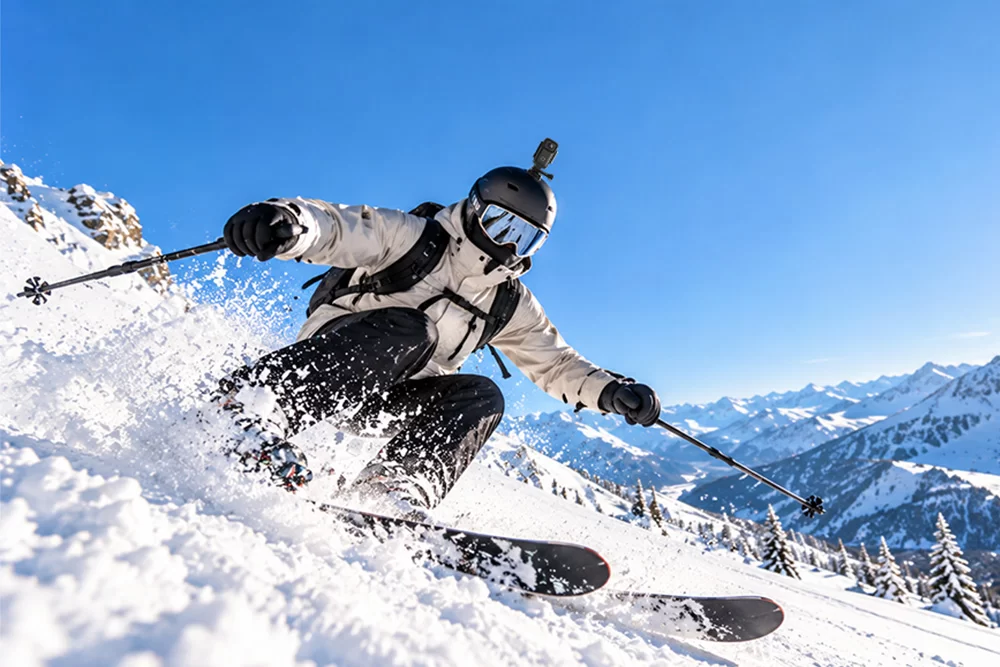
| Skiing | 4K/60fps if supported | Check exposure against bright snow |
| Walking POV | 4K/30fps | Enable EIS if available |
| Low-Light Scenes | 4K/30fps | Avoid unnecessary high frame rates |
Stabilization
Enable electronic image stabilization when recording while walking, cycling, or running.
Some cameras crop the image to compensate for movement, and certain stabilization modes may restrict available resolutions or frame rates.
Shutter Speed and Exposure
For natural-looking motion, a common video guideline is to use a shutter speed around twice the frame rate:
- 30fps: approximately 1/60 second
- 60fps: approximately 1/120 second
This is a creative guideline, not a requirement. Faster shutter speeds may be preferable for sharper individual frames, while automatic exposure can be more convenient in rapidly changing light.
Field of View
A wide field of view is useful for POV recording because it captures more of the surroundings.
For vlogging or scenes with people near the edges, a narrower view or distortion correction may produce more natural-looking results.
For detailed snow-sports recommendations, see our best action camera settings for skiing.
What Bitrate Is Best for 4K Action Camera Video?
Bitrate measures how much data a video uses per second. It influences file size and the amount of information available to preserve visual detail.
Resolution and bitrate are different:
- Resolution determines the number of pixels in each frame.
- Bitrate determines how much encoded data is used over time.
- Codec efficiency influences how effectively that data is compressed.
A higher bitrate can preserve more detail, especially in complex scenes, but it does not always produce better-looking video.
For example, fast-moving leaves, water, and snow can be challenging to compress because many image details change between frames.
How Much Storage Does 4K Video Use?
The following estimates illustrate how bitrate affects storage.
| Average Bitrate | Storage per Minute | Storage per Hour |
|---|---|---|
| 30 Mbps | 225 MB | 13.5 GB |
| 60 Mbps | 450 MB | 27 GB |
| 100 Mbps | 750 MB | 45 GB |
These are mathematical estimates based on average video bitrate, excluding additional overhead. They are not specific SJCAM camera bitrate specifications.
Actual file sizes vary with the codec, recording mode, audio, and camera implementation.
For cameras that use microSD cards, choose a card that meets the manufacturer’s capacity and sustained write-speed requirements.
A V30-rated card provides a minimum sustained write speed of 30 MB/s, equivalent to 240 Mbps, but compatibility and recording-mode requirements should still be checked.
Some compact cameras use built-in storage instead of removable cards. For example, the SJCAM S10 is available with built-in storage, so storage planning differs from microSD-based models.
When Should You Record in 4K Instead of 1080p?
Choose 4K when you want to capture detailed scenery, crop footage during editing, or publish high-resolution videos.
Choose 1080p when you need smaller files, faster editing, or recording modes with higher frame rates.
For example, if you plan to produce a short hiking film with landscape shots, 4K can provide valuable editing flexibility.
If you’re recording a long training session primarily for personal review, 1080p may be sufficient.
The best resolution is the one that meets your intended output without creating unnecessary storage or workflow problems.
To learn more about 4K and 1080p, please visit the 4K camera vs. 1080p guide.
Which SJCAM 4K Action Camera Should You Consider?
SJCAM offers several 4K action cameras designed for different filming styles.
SJCAM C400 Pro—For Handheld Vlogging and POV Video
The SJCAM C400 Pro combines 4K/30fps recording with a 1/1.8-inch sensor and SteadyMotion V2.0 stabilization.
Its detachable design lets users switch between handheld recording and a smaller wearable camera setup.
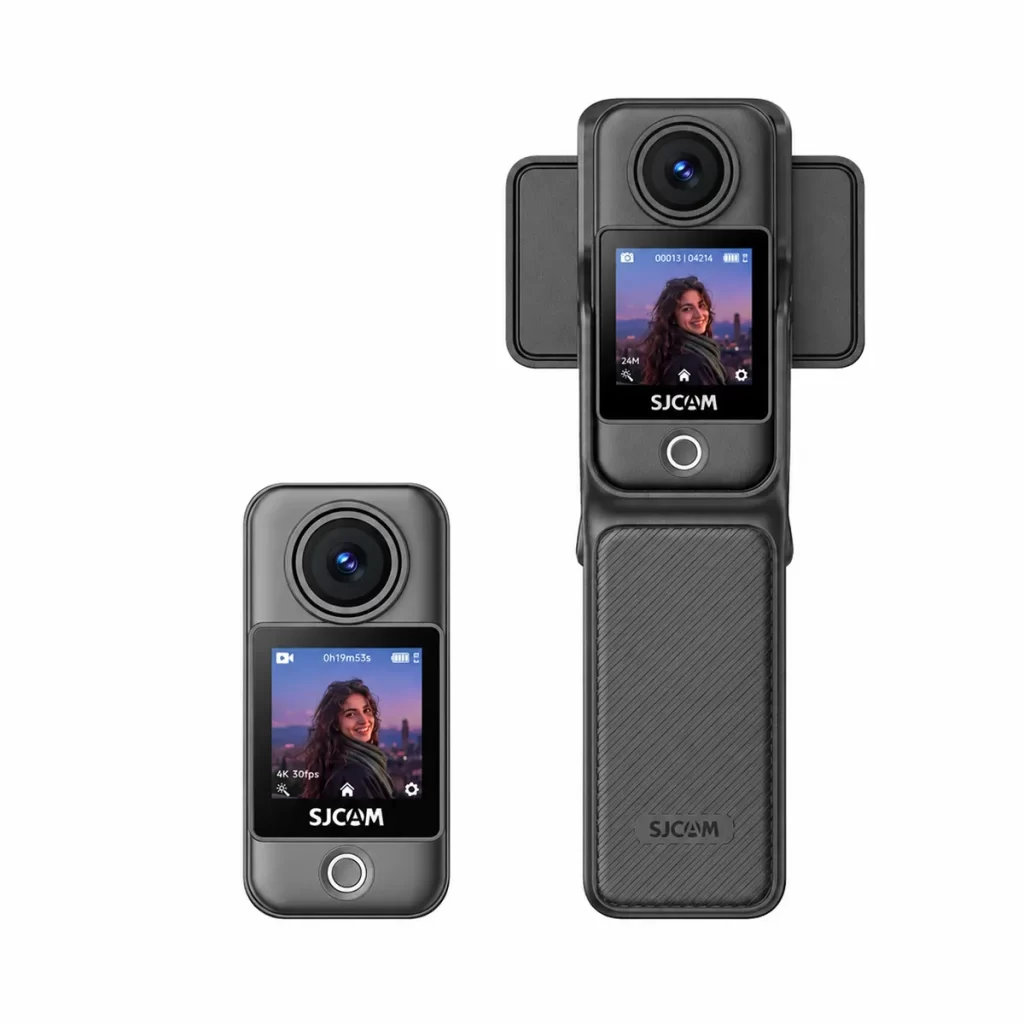
C400 Pro
Why choose it? The C400 Pro is suitable for creators who want one camera for travel vlogs, everyday recording, and hands-free POV footage.
SJCAM S10—For Lightweight, Hands-Free Recording
The SJCAM S10 is a compact 4K/30fps POV action camera weighing approximately 46 grams in its standalone configuration.
It features SteadyMotion V2.0 stabilization and supports magnetic mounting options. Its optional Boost Pod adds a flip screen and extended recording capability.
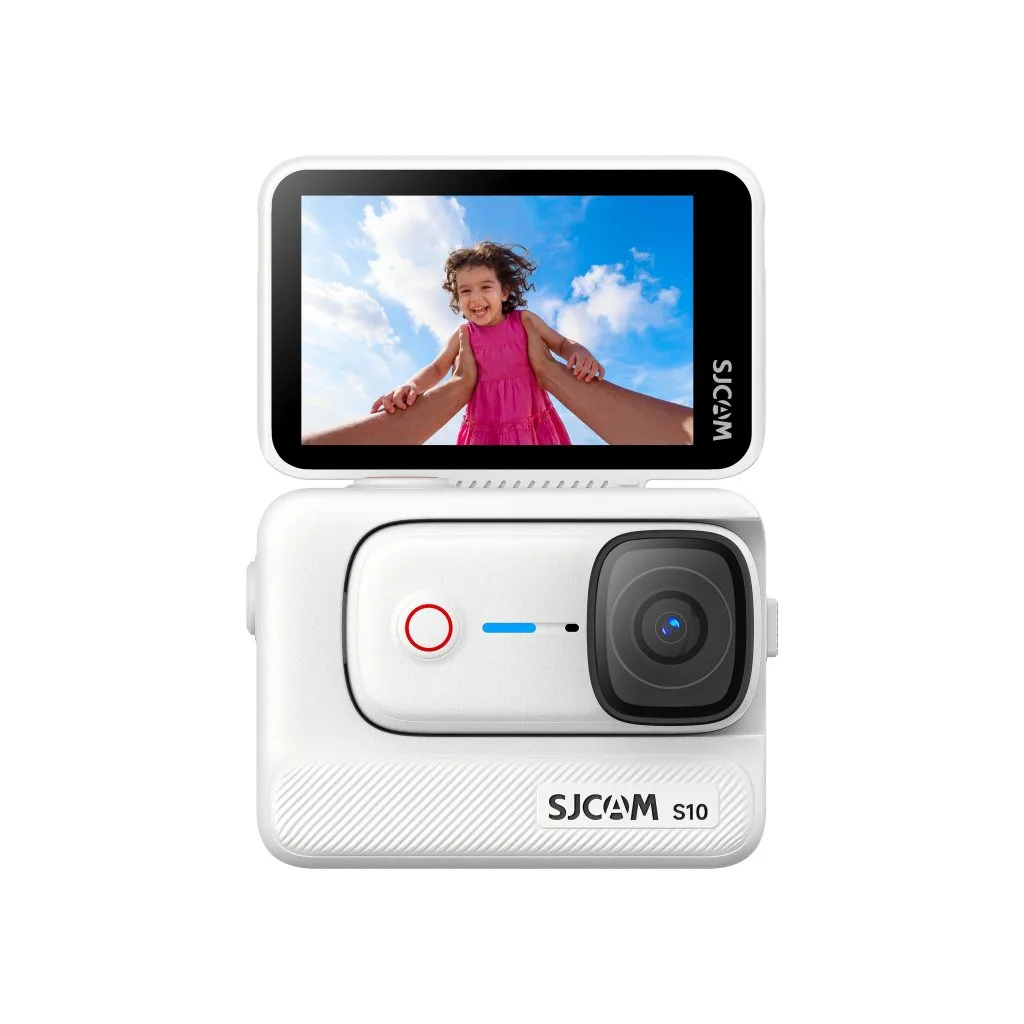
S10
Why choose it? The S10 is a practical option for users who prioritize a small camera that can capture everyday activities from a first-person perspective.
SJCAM C300—For Versatile Everyday Adventures
The SJCAM C300 supports 4K/30fps recording, six-axis gyro stabilization, and dual touchscreens.
Its recording modes and mounting options make it useful for travel, cycling, and outdoor video.
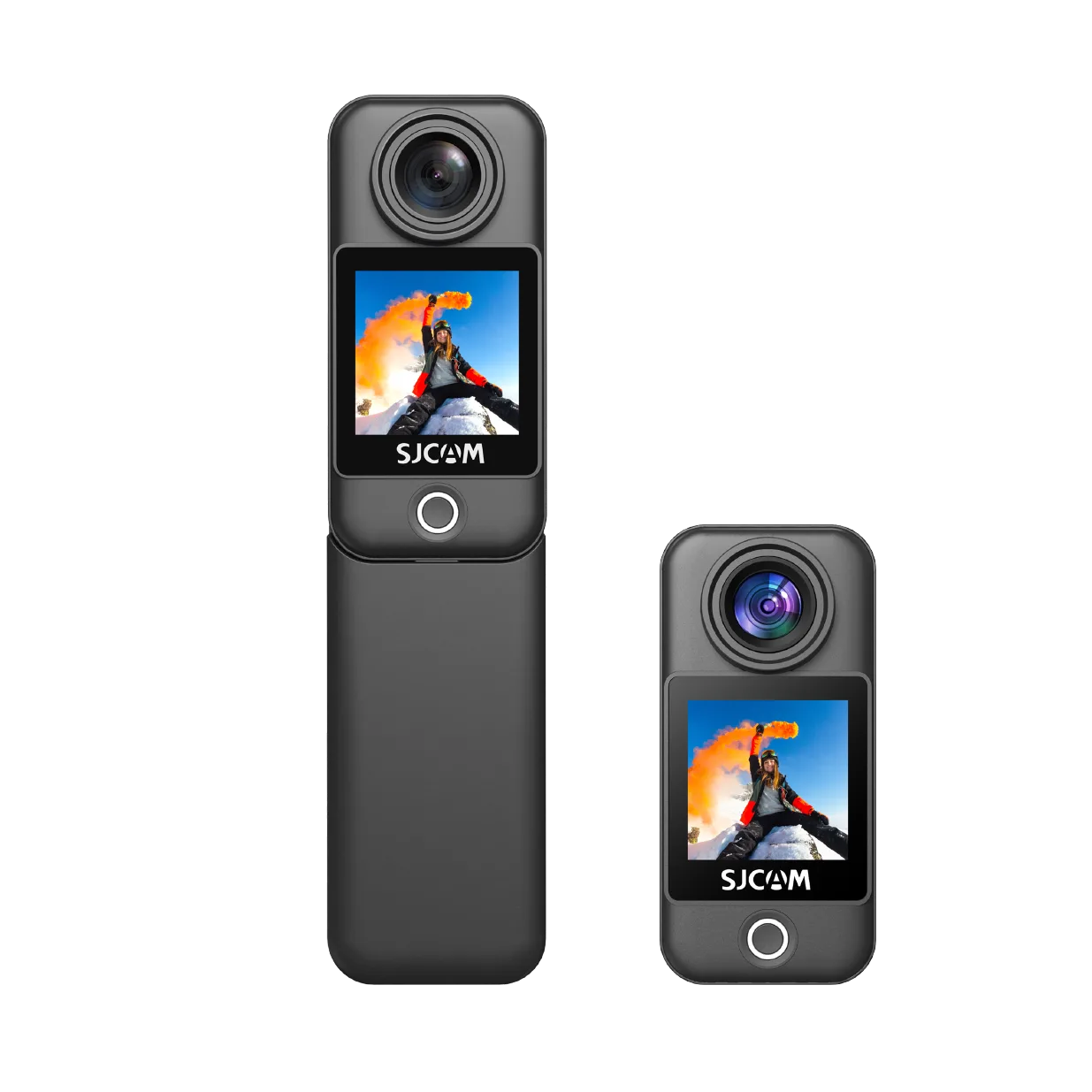
C300
Why choose it? The C300 suits users who want a versatile 4K action camera with straightforward controls and flexible shooting options.
For additional models and product comparisons, explore the SJCAM 4K action camera collection.
Common Mistakes to Avoid When Recording 4K Video
1. Assuming 4K Always Means Better Image Quality
Higher resolution does not automatically improve dynamic range, color depth, or low-light performance.
Sensor quality, lighting, lens performance, and video processing remain important.
2. Using High Frame Rates in Poor Lighting
Higher frame rates typically require shorter exposure times, which can make low-light recording more challenging.
When filming at night, consider 30fps and avoid unnecessary movement.
3. Ignoring Battery Life and Heat
High-resolution recording can increase processing demands and power consumption.
For long sessions, check the manufacturer’s tested runtime, maintain adequate airflow, and consider shorter recording segments when appropriate.
4. Choosing the Wrong Storage Media
An incompatible or insufficiently fast memory card can interrupt recording.
Check your camera’s supported storage format, capacity, and write-speed requirements before filming.
5. Overlooking Mounting Stability
Even effective electronic stabilization cannot fully compensate for a loose or poorly positioned mount.
Secure your camera properly and check the framing before starting an activity.
FAQ
Yes, if you want detailed footage, editing flexibility, or high-resolution video for outdoor activities. However, 1080p may be sufficient for casual recording or when smaller files are more important.
4K 60fps captures smoother motion and offers more flexibility for slow-motion editing. For everyday vlogs and scenic footage, 4K 30fps is often sufficient and may be less demanding on the camera.
No. Supported frame rates vary by model and resolution. The SJCAM C400 Pro, S10, and C300 support 4K/30fps, while higher frame rates are available at certain lower resolutions.
Storage depends primarily on bitrate. At an average bitrate of 60 Mbps, one hour of video requires approximately 27 GB before additional overhead.
It can. High-resolution recording often increases processing demands, but actual battery life depends on the camera, settings, temperature, and accessories. Consult model-specific runtime information.
Some models can, but waterproof capabilities vary. Certain cameras require a dedicated waterproof housing, while others have limited built-in water resistance. Always check the manufacturer’s depth rating and accessory requirements.
Conclusion
A 4K action camera is a useful tool for capturing detailed video during travel, sports, and everyday activities.
However, resolution is only one part of video quality. Frame rate, stabilization, bitrate, lighting, storage, and mounting all influence the final result.
For handheld vlogging, the SJCAM C400 Pro offers a flexible recording setup. For lightweight POV footage, the S10 emphasizes portability. For versatile everyday adventures, the C300 remains another option.
The best 4K action camera is not necessarily the one with the highest advertised specifications, but the one whose recording capabilities match your shooting needs.