






 Αγγλικά
 Κινέζικα (Κίνα)
 Ισπανικά
 Γερμανός
 γαλλική γλώσσα
 ιταλικός
 Ιαπωνικά
 κορεάτης
 Βούλγαρος
 Ινδονησιακά
 Κινέζικα (Χονγκ Κονγκ)
 Ρωσική
 δανικός
 φινλανδικός
 ουγγρικός
 τούρκικος
 Ολλανδός
 Πορτογαλικά
 Σουηδικά
 ρουμανικός
 Σλοβάκος
 Νορβηγός
 Κροατία
 Τσέχος
 Μπενγκάλι
 Στίλβωση
 Ταϊλανδός
 Ουκρανός
 Βιετναμέζικο











































Διεπαφή κάμερας και χειριστήρια οθόνης αφής
Main Screen Icons:
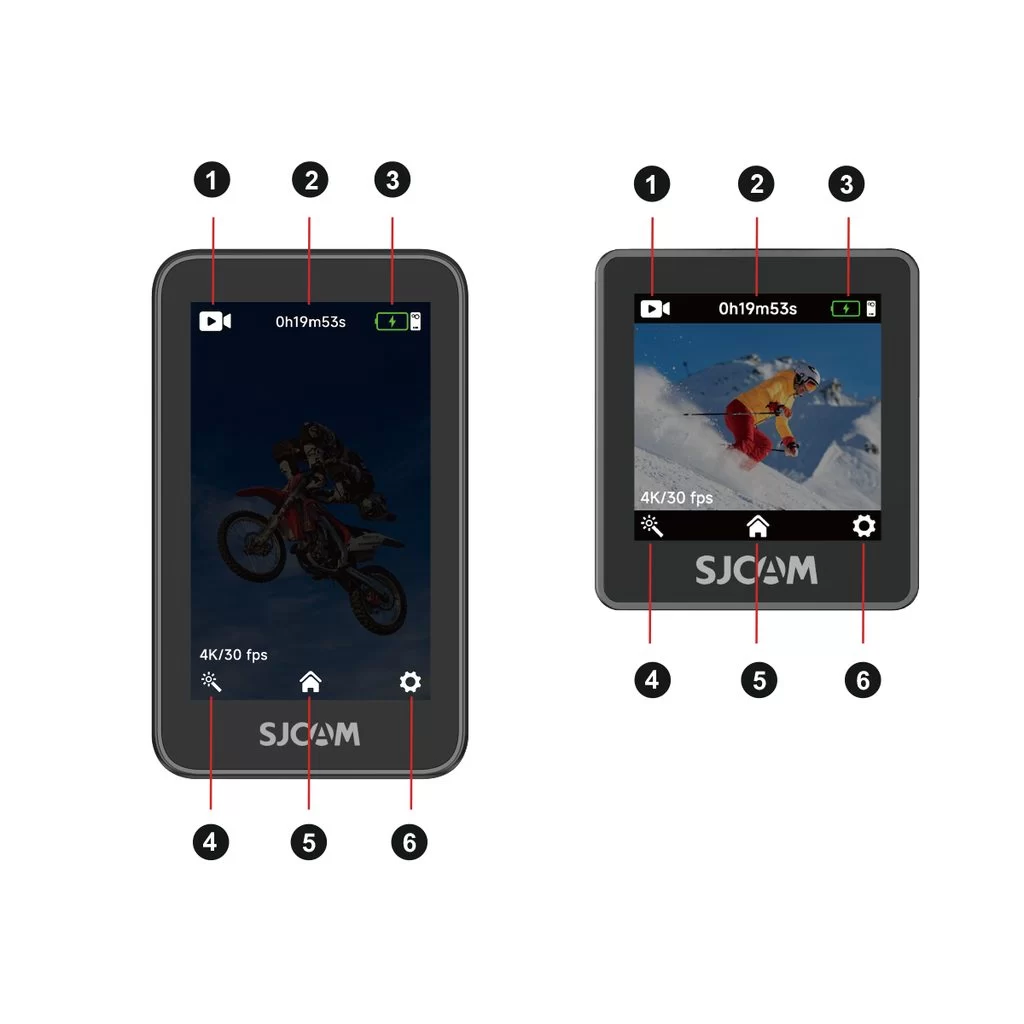
1. Current shooting mode: Indicates the active mode, such as video or photo.
2. Storage information: Shows the remaining recording time or photo capacity on the microSD card.
3. Battery level: Displays the current battery levels of the camera and handle.
4. Shooting settings: Tap to adjust parameters for the current mode, such as resolution.
5. Shooting mode selector: Tap to open the mode selection list.
6. System settings: Tap to open the device's general settings.
Touchscreen Gestures:
Swipe down from the top: Open the Quick Menu.
Swipe up from the bottom: Open the mode selection menu and switch shooting modes.
Swipe left or right: Quickly switch between photo and video modes.
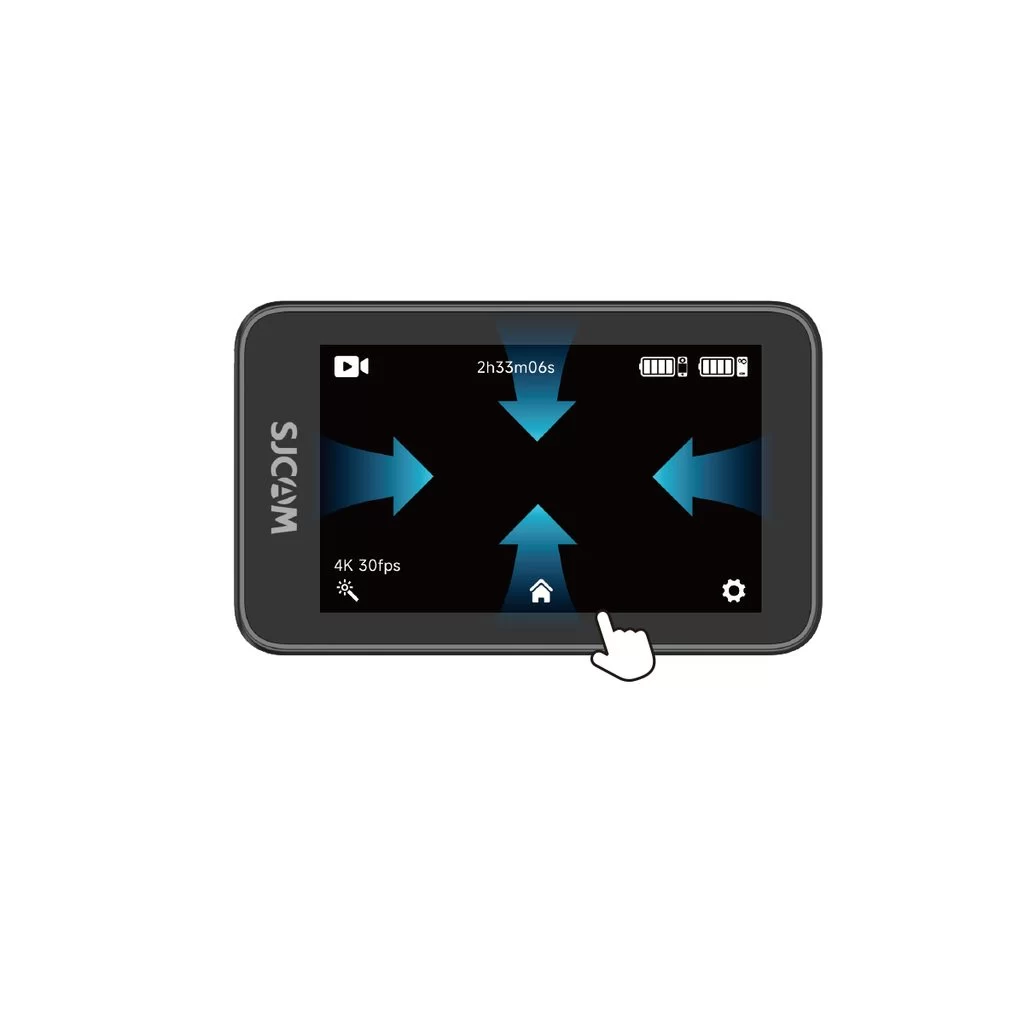
Swipe down from the top of the screen to open the quick menu.
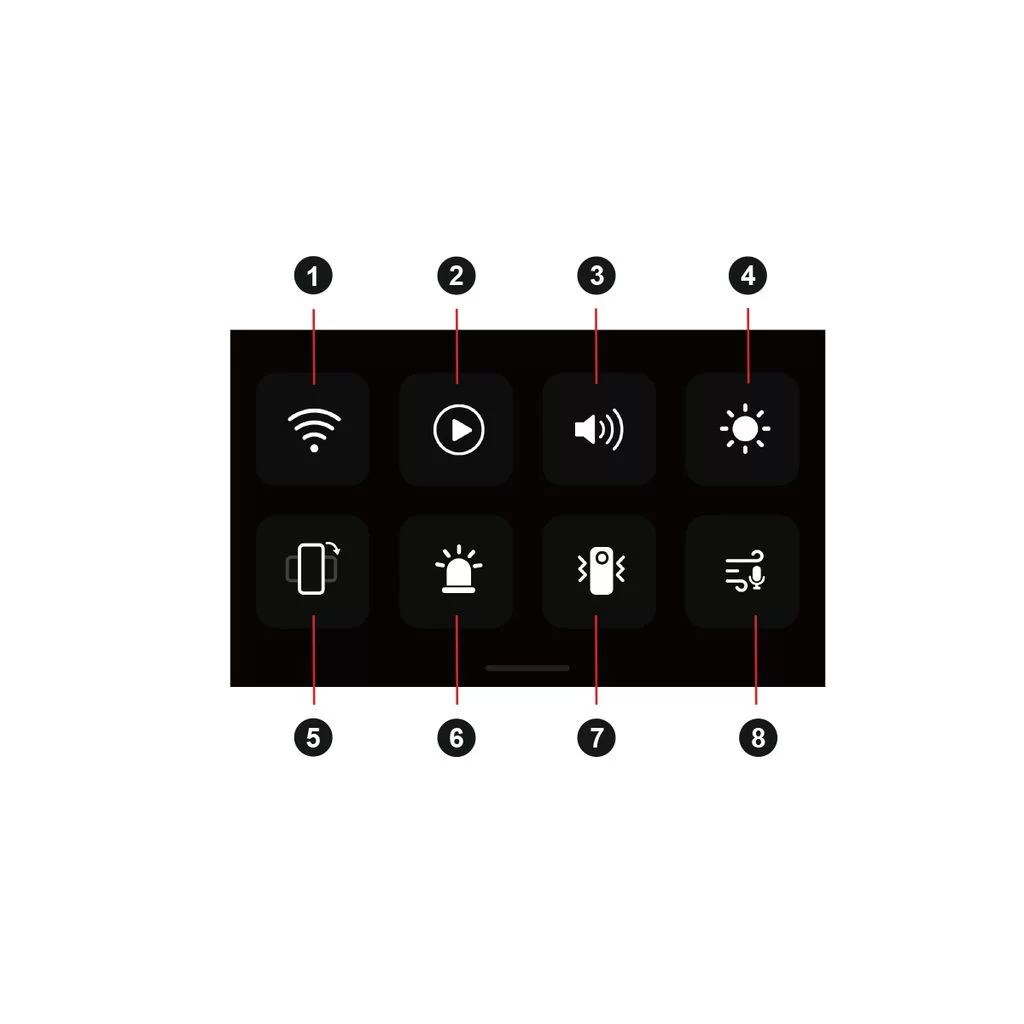
1. Wi-Fi On/Off
2. Playback
3. Beep Sound
4. Brightness Adjustment
5. Vertical Video On/Off
6. Indicator Light On/Off
8. Image Stabilization
9. Audio Noise Reduction
