






 engelsk
 kinesisk (Kina)
 spansk
 tysk
 fransk
 italiensk
 japansk
 koreansk
 bulgarsk
 græsk
 indonesisk
 kinesisk (Hongkong)
 Russisk
 finsk
 ungarsk
 tyrkisk
 hollandsk
 portugisisk
 svensk
 rumænsk
 slovakisk
 Norsk
 kroatisk
 tjekkisk
 bengalsk
 Polere
 Thai
 ukrainsk
 vietnamesisk











































Kameragrænseflade og berøringsskærmskontroller
Main Screen Icons:
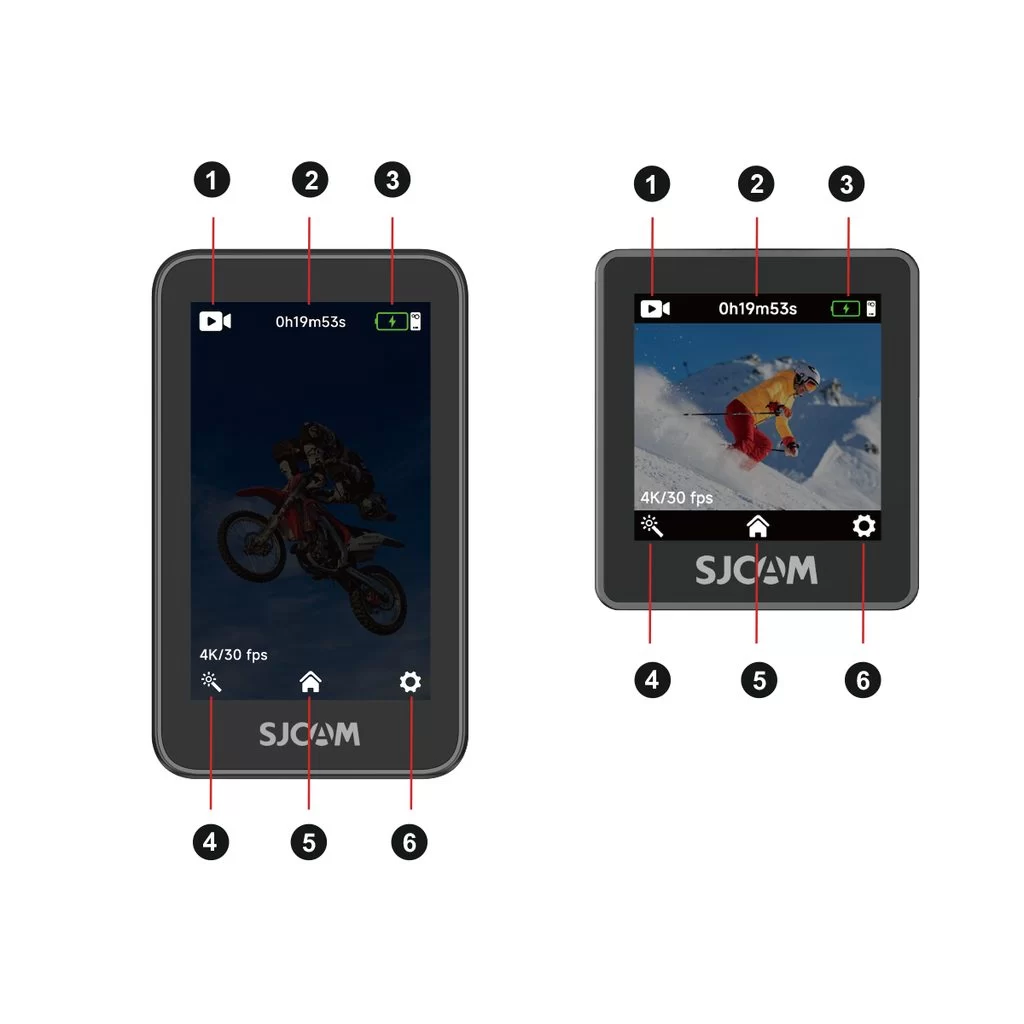
1. Current shooting mode: Indicates the active mode, such as video or photo.
2. Storage information: Shows the remaining recording time or photo capacity on the microSD card.
3. Battery level: Displays the current battery levels of the camera and handle.
4. Shooting settings: Tap to adjust parameters for the current mode, such as resolution.
5. Shooting mode selector: Tap to open the mode selection list.
6. System settings: Tap to open the device's general settings.
Touchscreen Gestures:
Swipe down from the top: Open the Quick Menu.
Swipe up from the bottom: Open the mode selection menu and switch shooting modes.
Swipe left or right: Quickly switch between photo and video modes.
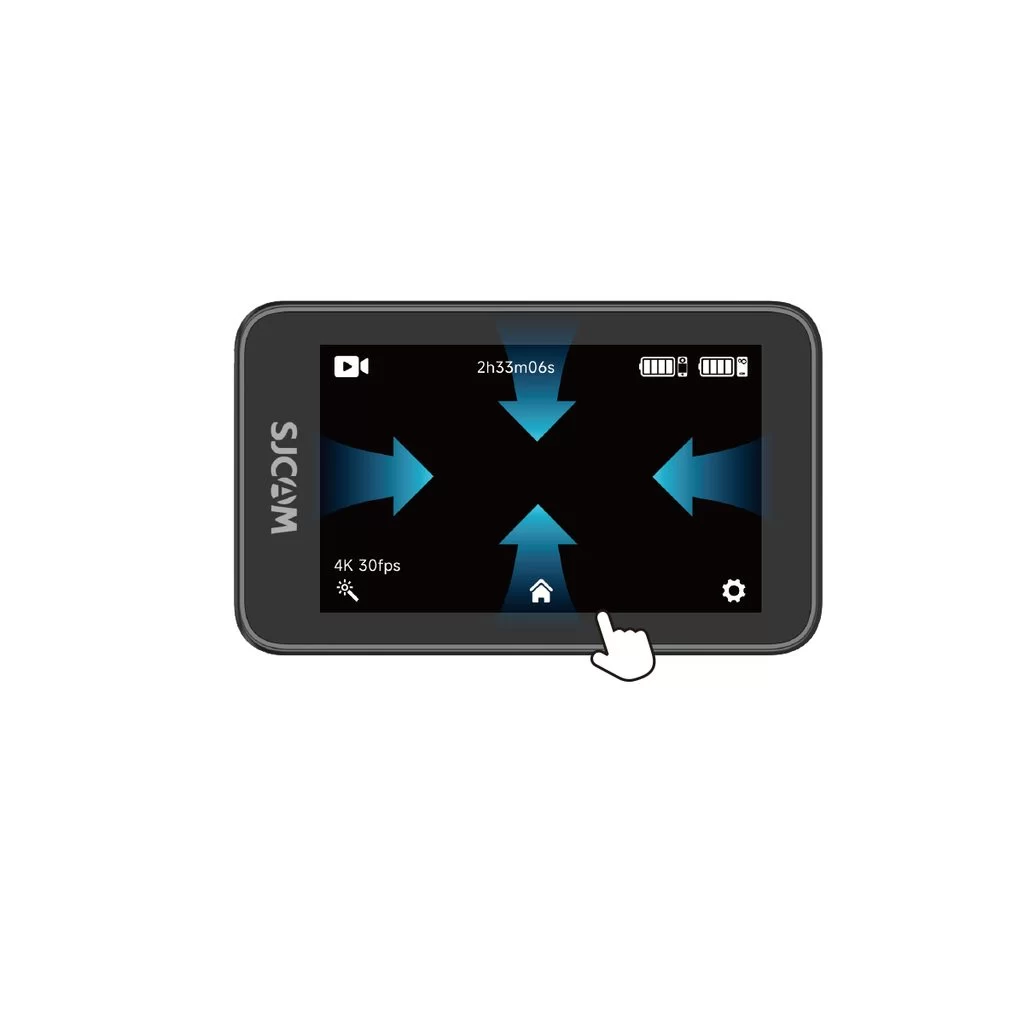
Swipe down from the top of the screen to open the quick menu.
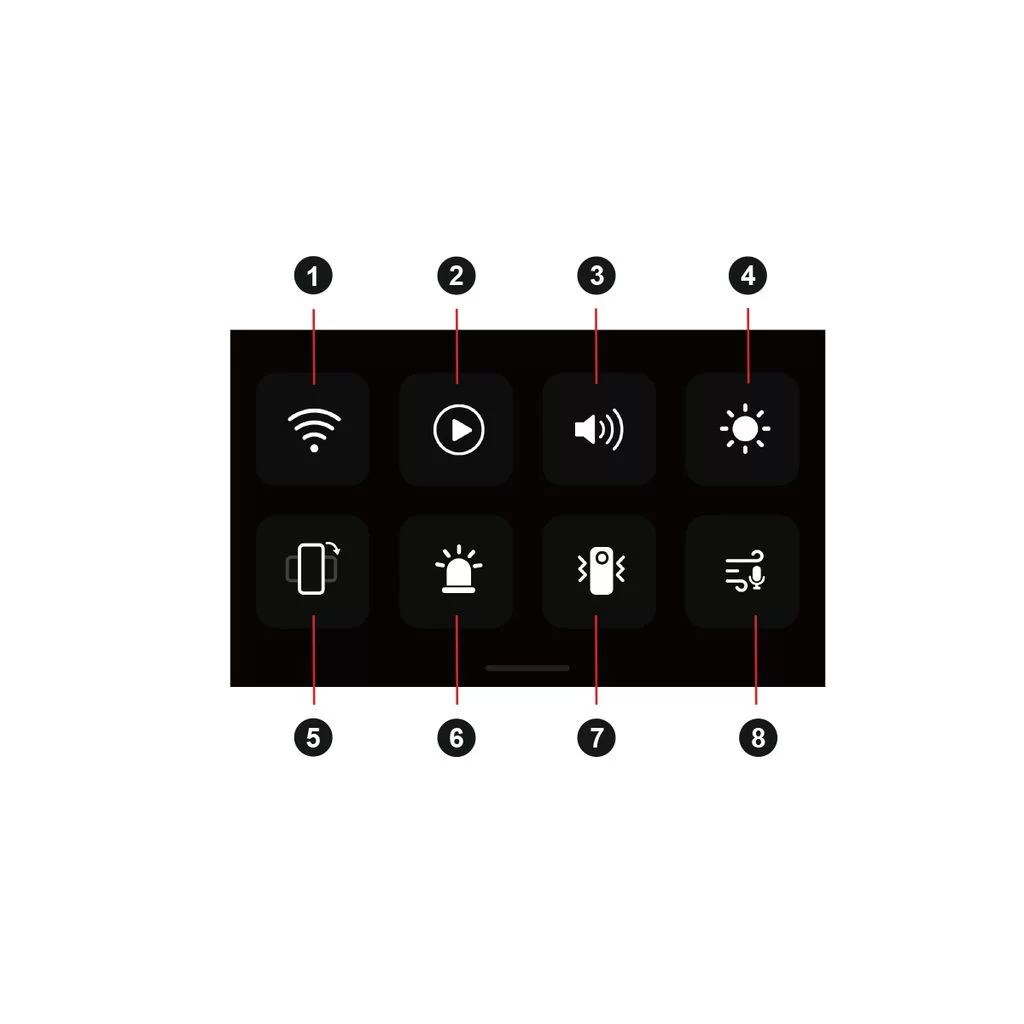
1. Wi-Fi On/Off
2. Playback
3. Beep Sound
4. Brightness Adjustment
5. Vertical Video On/Off
6. Indicator Light On/Off
8. Image Stabilization
9. Audio Noise Reduction
