






 英語
 中文(中國)
 西班牙語
 德文
 法語
 義大利語
 日本人
 韓國人
 保加利亞語
 希臘文
 印尼
 俄文
 丹麥語
 芬蘭
 匈牙利
 土耳其
 荷蘭語
 葡萄牙語
 瑞典
 羅馬尼亞語
 斯洛伐克語
 挪威
 克羅埃西亞語
 捷克語
 孟加拉
 拋光
 泰國
 烏克蘭
 越南語











































相機介面和觸控螢幕控制
Main Screen Icons:
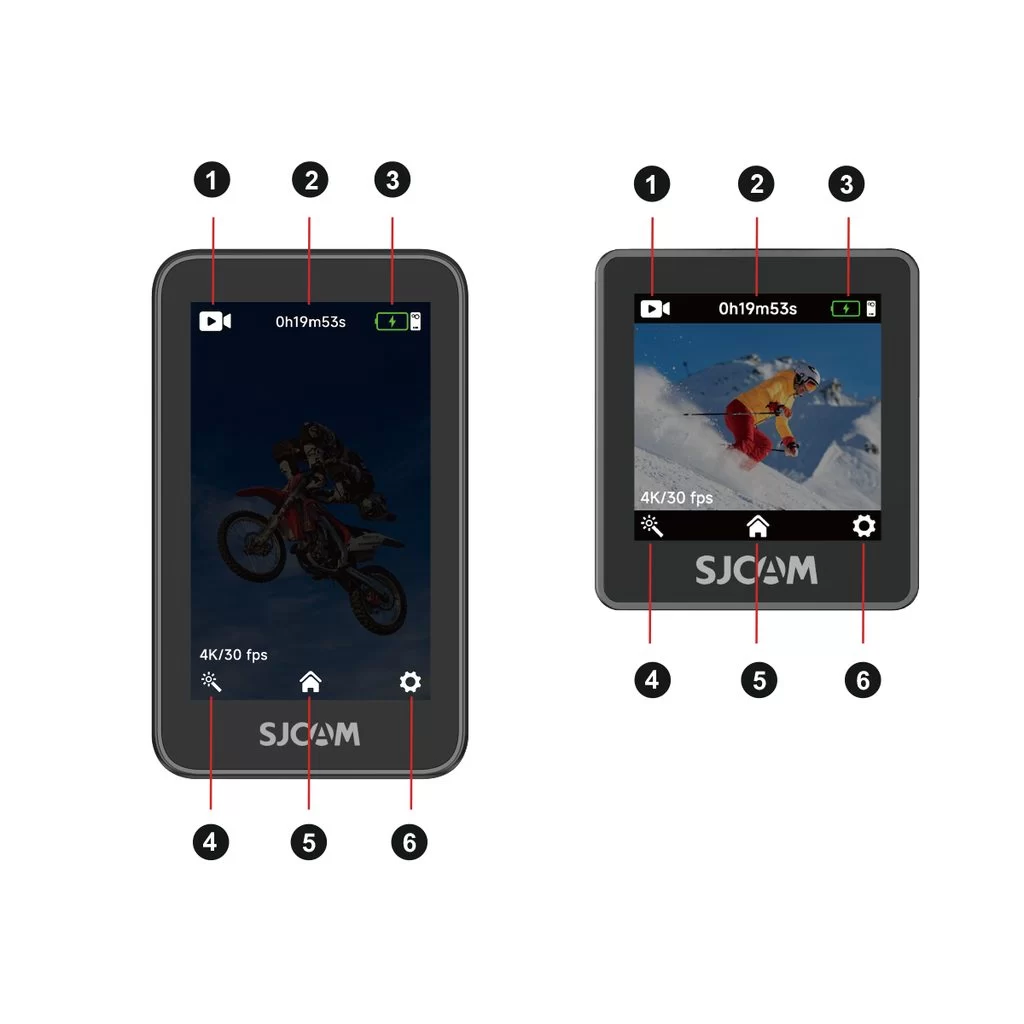
1. Current shooting mode: Indicates the active mode, such as video or photo.
2. Storage information: Shows the remaining recording time or photo capacity on the microSD card.
3. Battery level: Displays the current battery levels of the camera and handle.
4. Shooting settings: Tap to adjust parameters for the current mode, such as resolution.
5. Shooting mode selector: Tap to open the mode selection list.
6. System settings: Tap to open the device's general settings.
Touchscreen Gestures:
Swipe down from the top: Open the Quick Menu.
Swipe up from the bottom: Open the mode selection menu and switch shooting modes.
Swipe left or right: Quickly switch between photo and video modes.
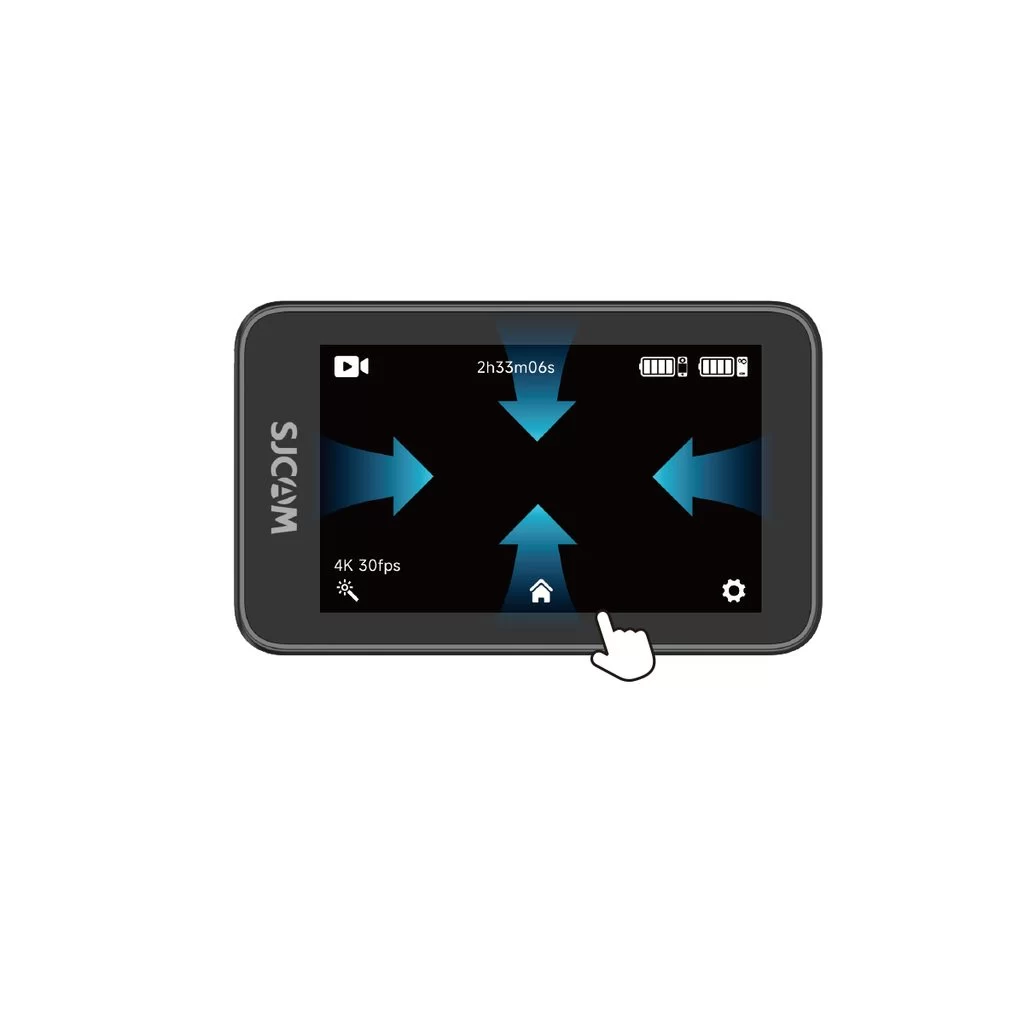
Swipe down from the top of the screen to open the quick menu.
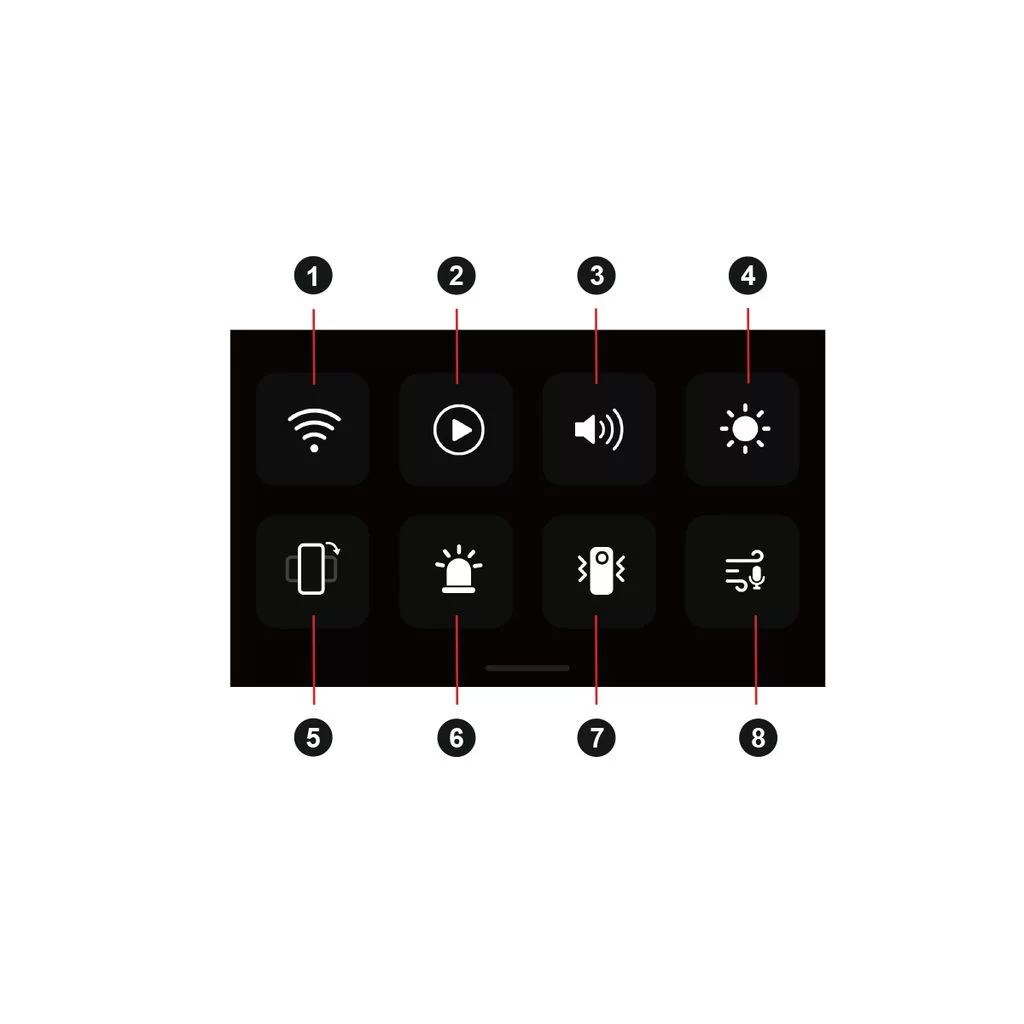
1. Wi-Fi On/Off
2. Playback
3. Beep Sound
4. Brightness Adjustment
5. Vertical Video On/Off
6. Indicator Light On/Off
8. Image Stabilization
9. Audio Noise Reduction
