






 Tiếng Anh
 Tiếng Trung (Trung Quốc)
 người Tây Ban Nha
 tiếng Đức
 người Pháp
 người Ý
 tiếng Nhật
 Hàn Quốc
 tiếng Bungari
 người Hy Lạp
 tiếng Indonesia
 Tiếng Trung (Hồng Kông)
 tiếng Nga
 người Đan Mạch
 tiếng Phần Lan
 người Hungary
 tiếng Thổ Nhĩ Kỳ
 tiếng Hà Lan
 tiếng Bồ Đào Nha
 tiếng Thụy Điển
 người Rumani
 Tiếng Slovak
 người Na Uy
 tiếng Croatia
 tiếng Séc
 tiếng Bengali
 Đánh bóng
 tiếng Thái
 tiếng Ukraina











































Giao diện máy ảnh và điều khiển màn hình cảm ứng
Main Screen Icons:
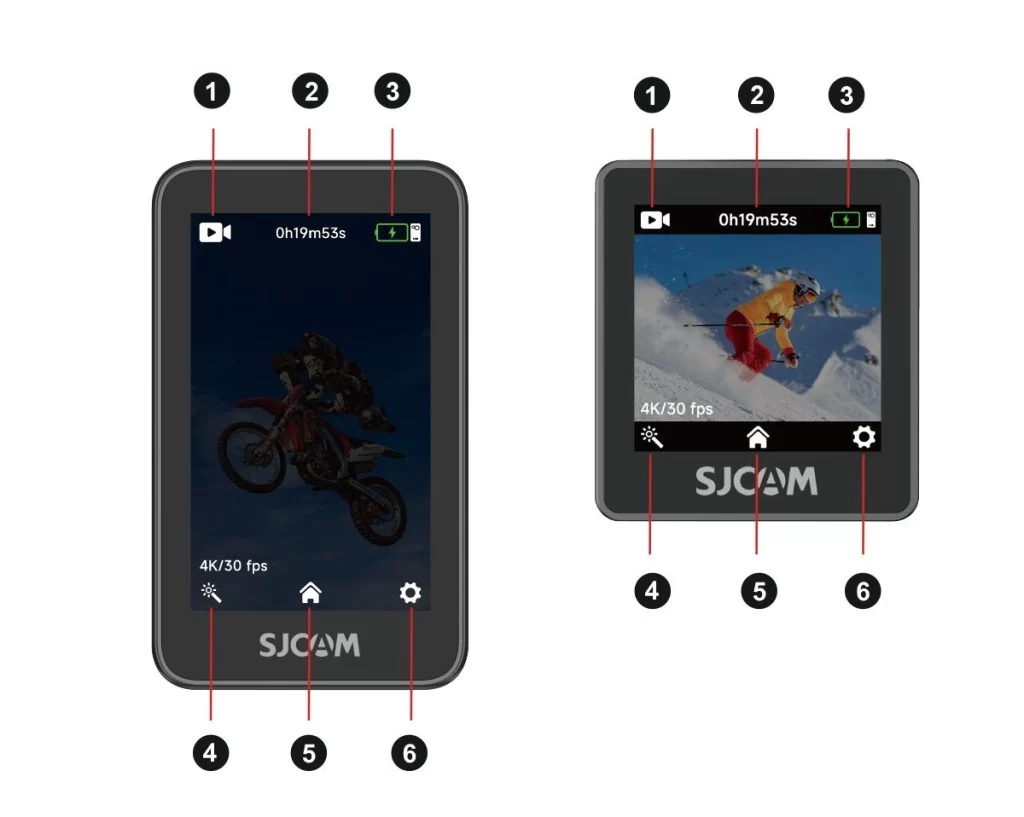
1. Current shooting mode: Indicates the active mode, such as video or photo.
2. Storage information: Shows the remaining recording time or photo capacity on the microSD card.
3. Battery level: Displays the current battery levels of the camera and handle.
4. Shooting settings: Tap to adjust parameters for the current mode, such as resolution.
5. Shooting mode selector: Tap to open the mode selection list.
6. System settings: Tap to open the device's general settings.
Touchscreen Gestures:
Swipe down from the top: Open the Quick Menu.
Swipe up from the bottom: Open the mode selection menu and switch shooting modes.
Swipe left or right: Quickly switch between photo and video modes.
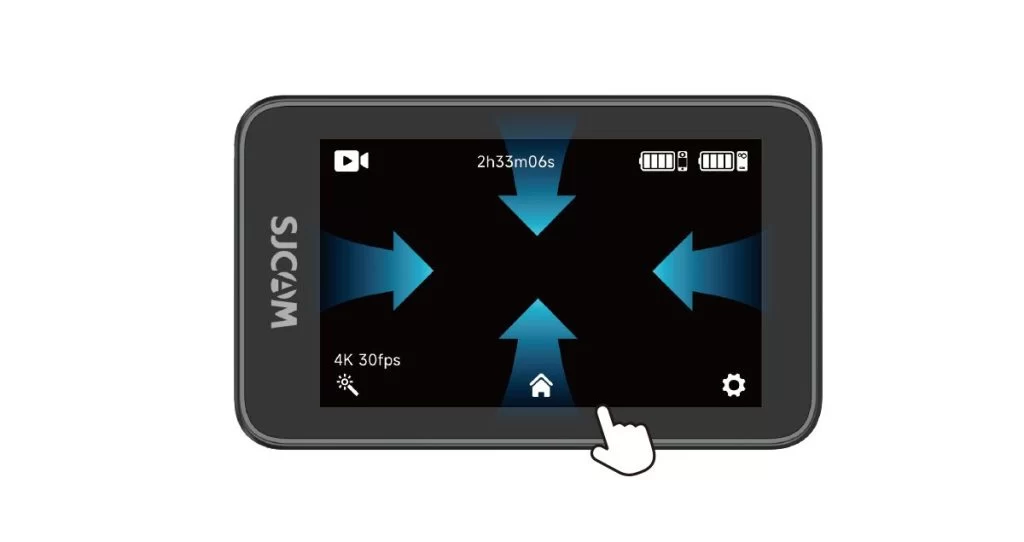
Swipe down from the top of the screen to open the quick menu.
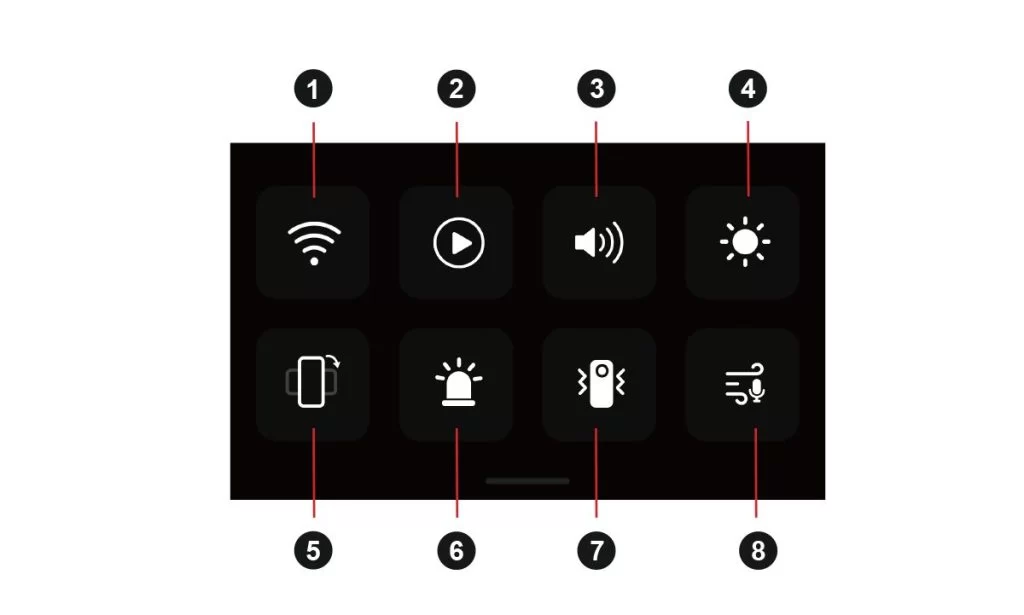
1. Wi-Fi On/Off
2. Playback
3. Beep Sound
4. Brightness Adjustment
5. Vertical Video On/Off
6. Indicator Light On/Off
8. Image Stabilization
9. Audio Noise Reduction
