






 Tiếng Anh
 Tiếng Trung (Trung Quốc)
 người Tây Ban Nha
 tiếng Đức
 người Pháp
 người Ý
 tiếng Nhật
 Hàn Quốc
 tiếng Bungari
 người Hy Lạp
 tiếng Indonesia
 Tiếng Trung (Hồng Kông)
 tiếng Nga
 người Đan Mạch
 tiếng Phần Lan
 người Hungary
 tiếng Thổ Nhĩ Kỳ
 tiếng Hà Lan
 tiếng Bồ Đào Nha
 tiếng Thụy Điển
 người Rumani
 Tiếng Slovak
 người Na Uy
 tiếng Croatia
 tiếng Séc
 tiếng Bengali
 Đánh bóng
 tiếng Thái
 tiếng Ukraina











































Cài đặt tham số chế độ
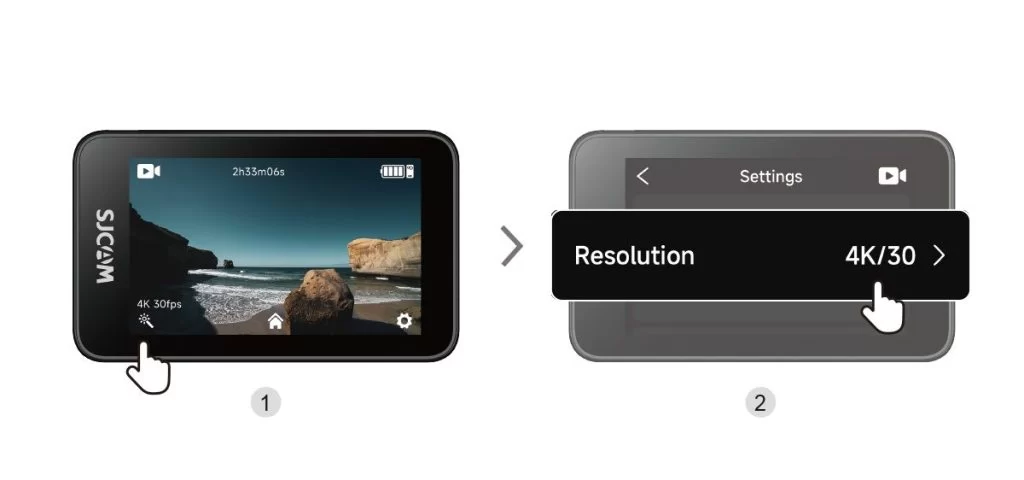
Shooting Settings: Tap Shooting Settings in the lower-left corner of the shooting screen to adjust resolution, image, and audio options for the current mode. Available options may change when you switch modes.
Camera Settings: Tap "Settings" in the bottom-right corner of the shooting interface to adjust system options, including language, date and time, and auto-power-off settings.
How to Choose Video Resolution and Frame Rate?
| Resolution (16:9) | Available Frame Rates |
| 4K | 3840 × 2160 | 30 khung hình/giây |
| 2K | 2560 × 1440 | 60 / 30 fps |
| 1080p | 1920 × 1080 | 120 / 60 / 30 fps |
| 720p | 1280 × 720 | 120 / 60 / 30 fps |
Thông tin này có hữu ích không?
Cảm ơn phản hồi của bạn!
