






 Tiếng Anh
 Tiếng Trung (Trung Quốc)
 người Tây Ban Nha
 tiếng Đức
 người Pháp
 người Ý
 tiếng Nhật
 Hàn Quốc
 tiếng Bungari
 người Hy Lạp
 tiếng Indonesia
 Tiếng Trung (Hồng Kông)
 tiếng Nga
 người Đan Mạch
 tiếng Phần Lan
 người Hungary
 tiếng Thổ Nhĩ Kỳ
 tiếng Hà Lan
 tiếng Bồ Đào Nha
 tiếng Thụy Điển
 người Rumani
 Tiếng Slovak
 người Na Uy
 tiếng Croatia
 tiếng Séc
 tiếng Bengali
 Đánh bóng
 tiếng Thái
 tiếng Ukraina











































Bật và tắt nguồn
Power On / Power Off
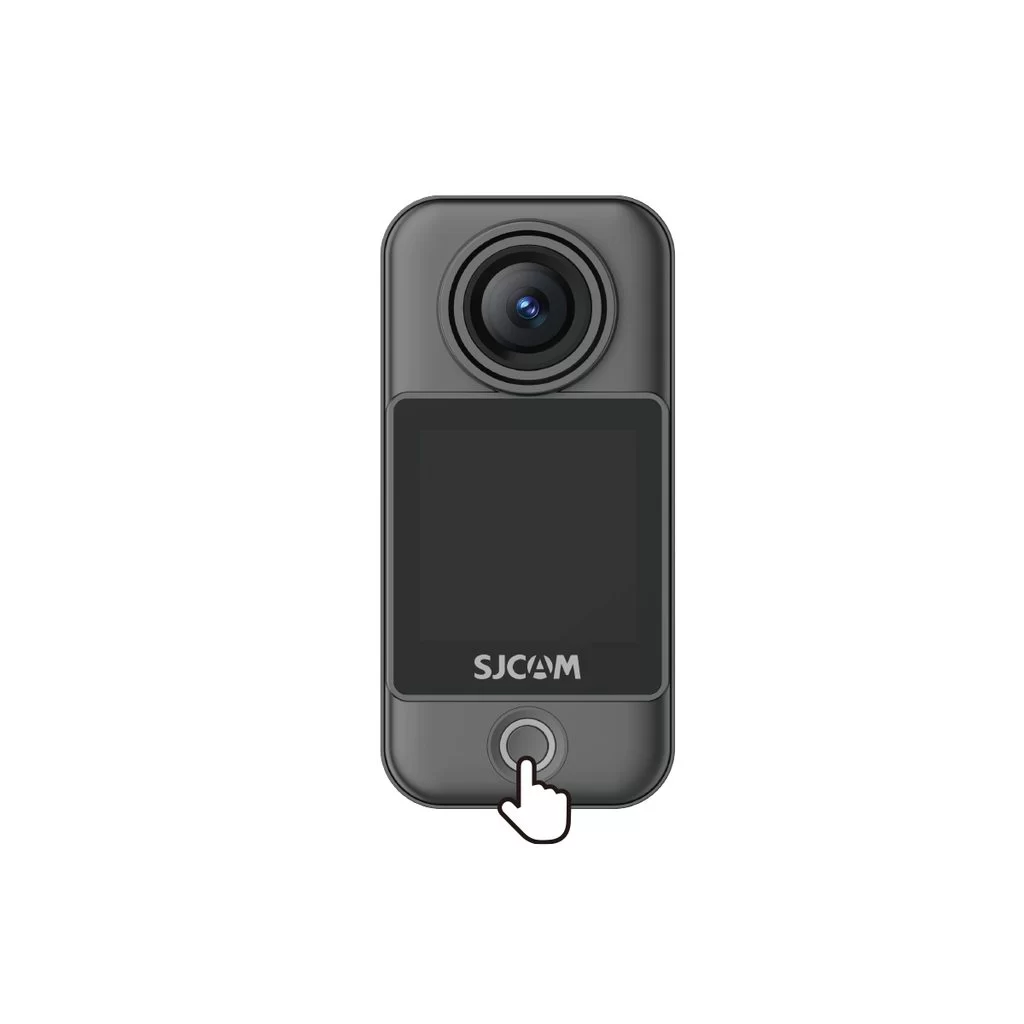
Camera Unit (C400 Pro Pocket)
• Power on: With the camera off, press the power button once.
• Power off: With the camera on, press and hold the power button for 3 seconds.
Handheld Controller (C400 Pro)
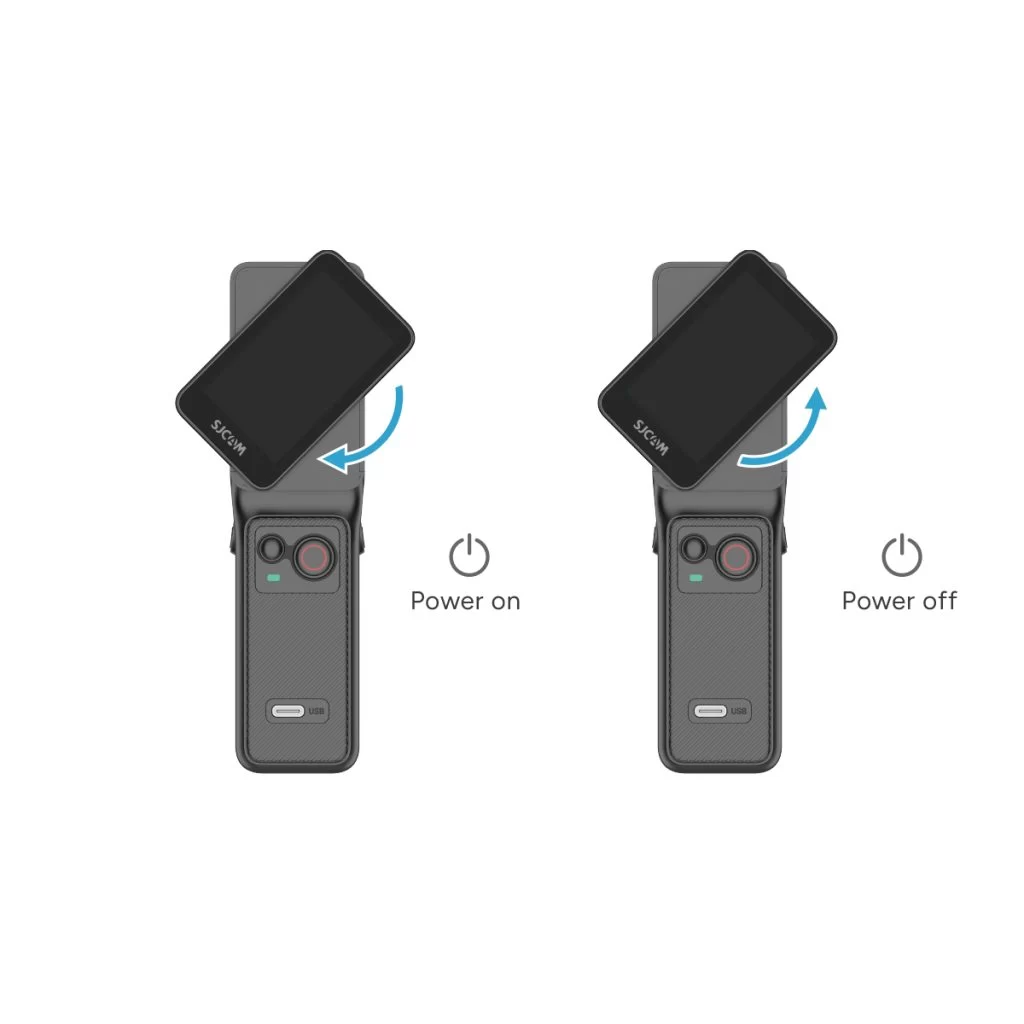
• Power on: With the controller off, rotate the handle's display clockwise or press and hold the handle's power button for 3 seconds.
• Power off: With the controller on, rotate the handle's display counterclockwise back to its original position, or press and hold the handle's power button for 3 seconds.
Thông tin này có hữu ích không?
Cảm ơn phản hồi của bạn!
