






 ภาษาอังกฤษ
 ชาวจีน (ประเทศจีน)
 สเปน
 เยอรมัน
 ภาษาฝรั่งเศส
 ภาษาอิตาลี
 ญี่ปุ่น
 เกาหลี
 บัลแกเรีย
 กรีก
 ชาวอินโดนีเซีย
 จีน (ฮ่องกง)
 ภาษารัสเซีย
 ภาษาเดนมาร์ก
 ภาษาฟินแลนด์
 ภาษาฮังการี
 ภาษาตุรกี
 ภาษาดัตช์
 โปรตุเกส
 ภาษาสวีเดน
 โรมาเนีย
 สโลวัก
 ภาษานอร์เวย์
 โครเอเชีย
 เช็ก
 เบงกาลี
 ขัด
 ภาษายูเครน
 ภาษาเวียดนาม











































การเปิดและปิดเครื่อง
Power On / Power Off
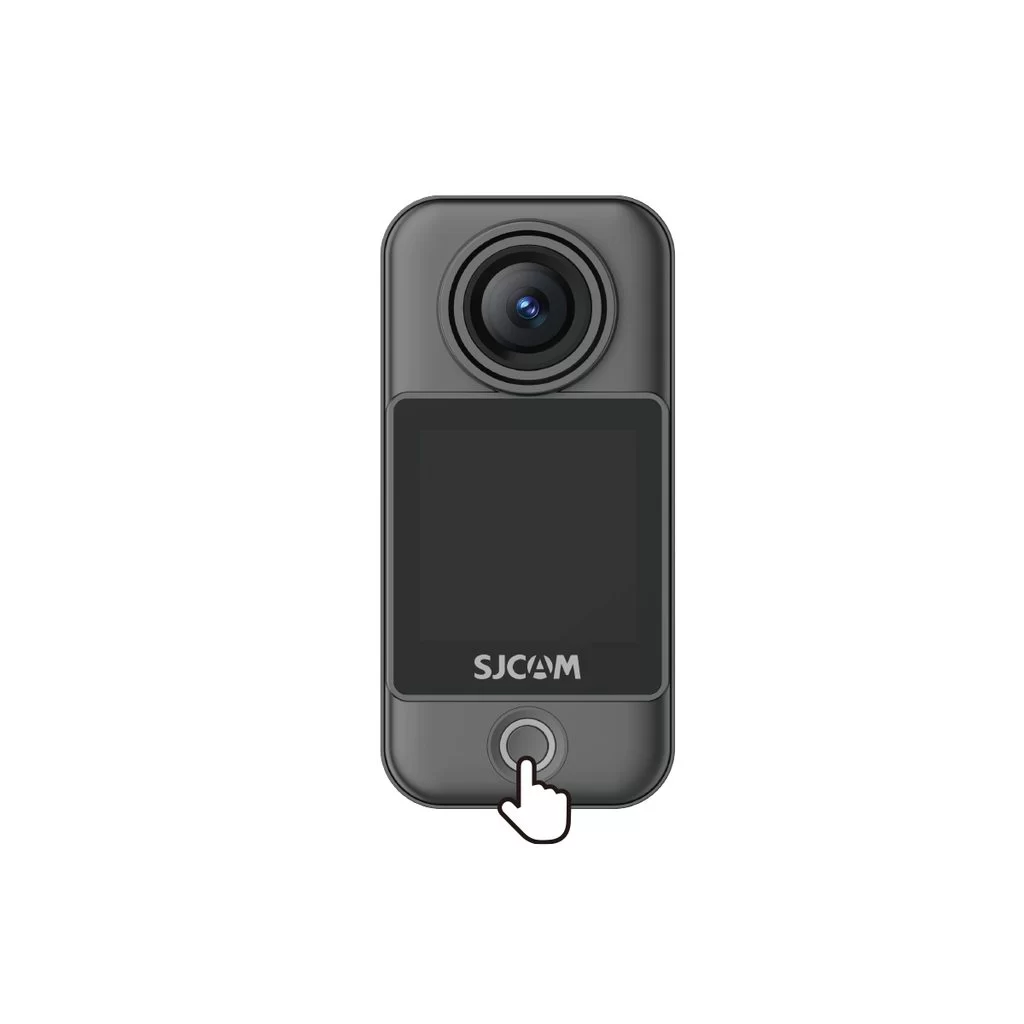
Camera Unit (C400 Pro Pocket)
• Power on: With the camera off, press the power button once.
• Power off: With the camera on, press and hold the power button for 3 seconds.
Handheld Controller (C400 Pro)
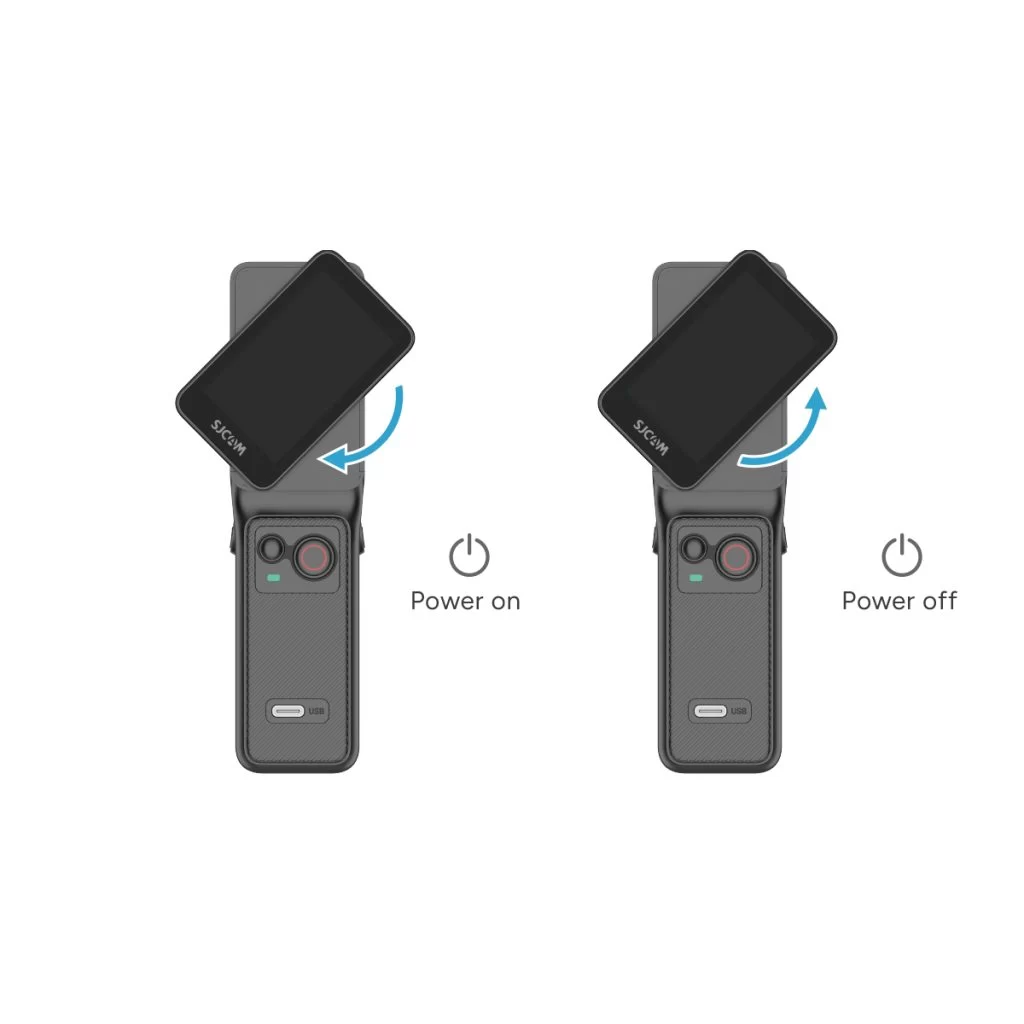
• Power on: With the controller off, rotate the handle's display clockwise or press and hold the handle's power button for 3 seconds.
• Power off: With the controller on, rotate the handle's display counterclockwise back to its original position, or press and hold the handle's power button for 3 seconds.
ข้อมูลนี้เป็นประโยชน์หรือไม่?
ขอบคุณสำหรับข้อเสนอแนะของคุณ!
