






 英語
 中国語(中国)
 スペイン語
 ドイツ人
 フランス語
 イタリアの
 韓国語
 ブルガリア語
 ギリシャ語
 インドネシア語
 中国語(香港)
 ロシア
 デンマーク語
 フィンランド語
 ハンガリー語
 トルコ語
 オランダの
 ポルトガル語
 スウェーデンの
 ルーマニア語
 スロバキア語
 ノルウェー語
 クロアチア語
 チェコ語
 ベンガル語
 研磨
 タイ語
 ウクライナ語
 ベトナム語











































電源のオン/オフ
Power On / Power Off
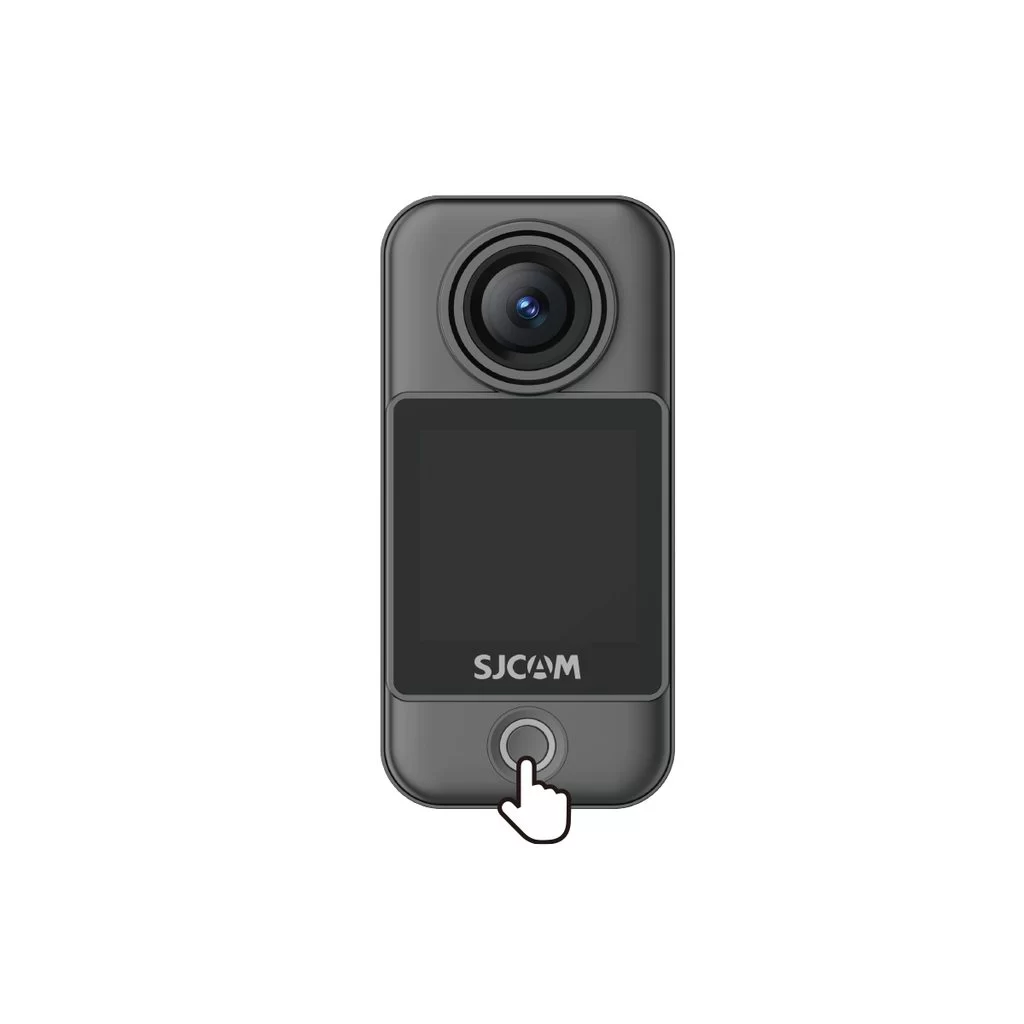
Camera Unit (C400 Pro Pocket)
• Power on: With the camera off, press the power button once.
• Power off: With the camera on, press and hold the power button for 3 seconds.
Handheld Controller (C400 Pro)
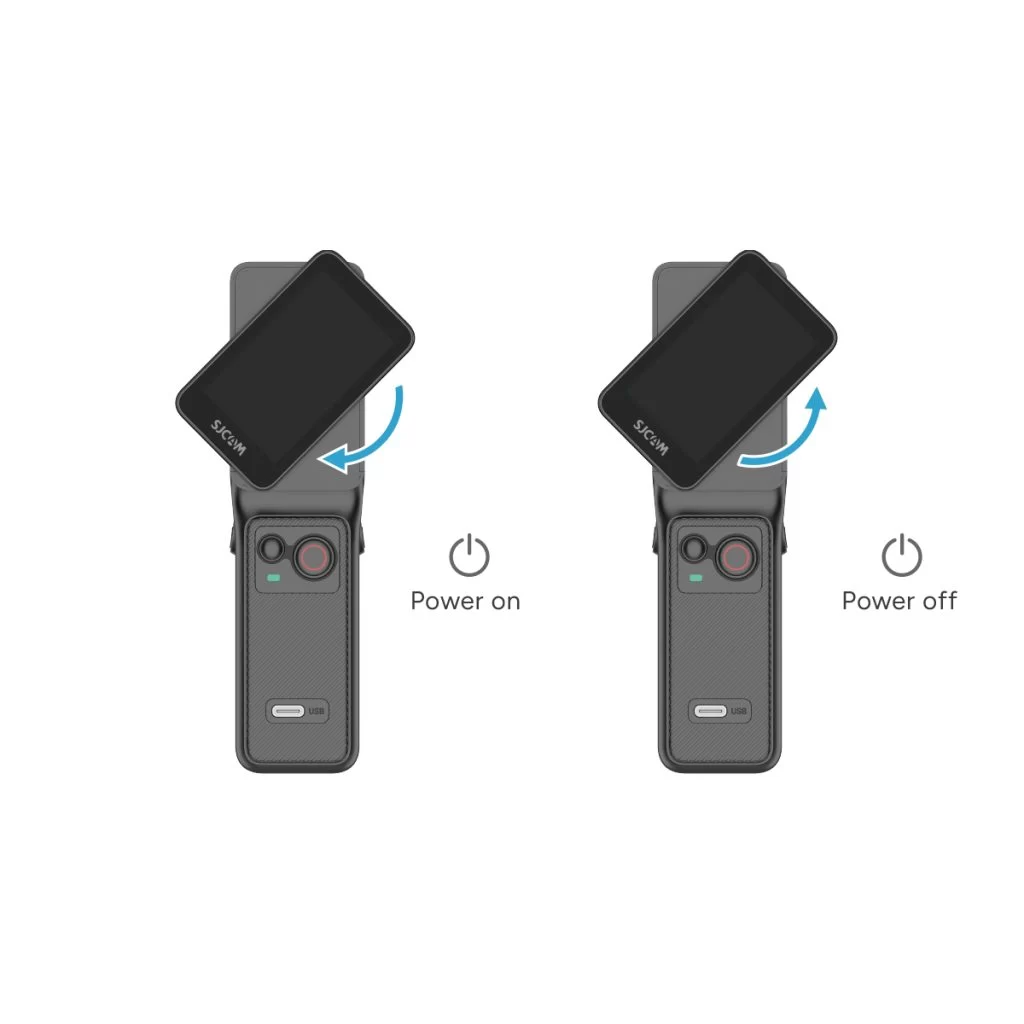
• Power on: With the controller off, rotate the handle's display clockwise or press and hold the handle's power button for 3 seconds.
• Power off: With the controller on, rotate the handle's display counterclockwise back to its original position, or press and hold the handle's power button for 3 seconds.
この情報はお役に立ちましたか?
ご意見ありがとうございます!
