






 英語
 中国語(中国)
 スペイン語
 ドイツ人
 フランス語
 イタリアの
 韓国語
 ブルガリア語
 ギリシャ語
 インドネシア語
 中国語(香港)
 ロシア
 デンマーク語
 フィンランド語
 ハンガリー語
 トルコ語
 オランダの
 ポルトガル語
 スウェーデンの
 ルーマニア語
 スロバキア語
 ノルウェー語
 クロアチア語
 チェコ語
 ベンガル語
 研磨
 タイ語
 ウクライナ語
 ベトナム語











































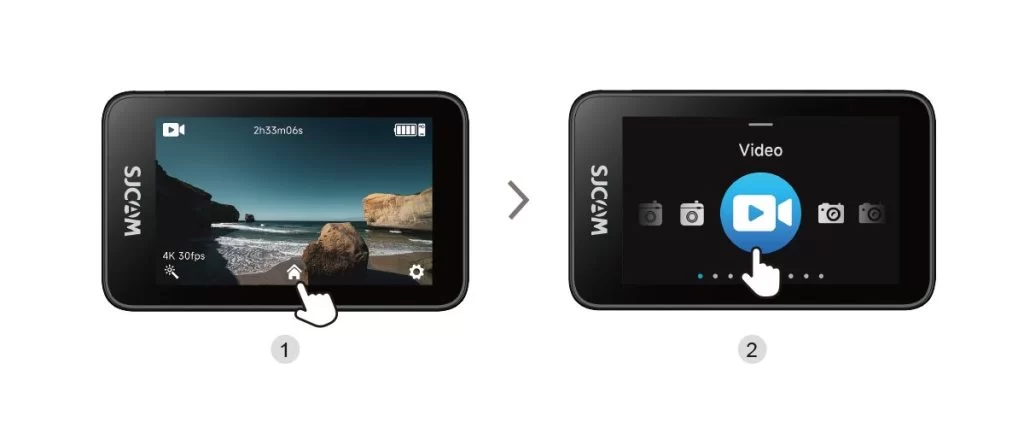
撮影モードの切り替え
Tap the Mode Selection icon at the bottom center of the main screen to open the mode selector, then swipe left or right to change shooting modes.
この情報はお役に立ちましたか?
ご意見ありがとうございます!

Tap the Mode Selection icon at the bottom center of the main screen to open the mode selector, then swipe left or right to change shooting modes.