
















































Перемикання режимів зйомки
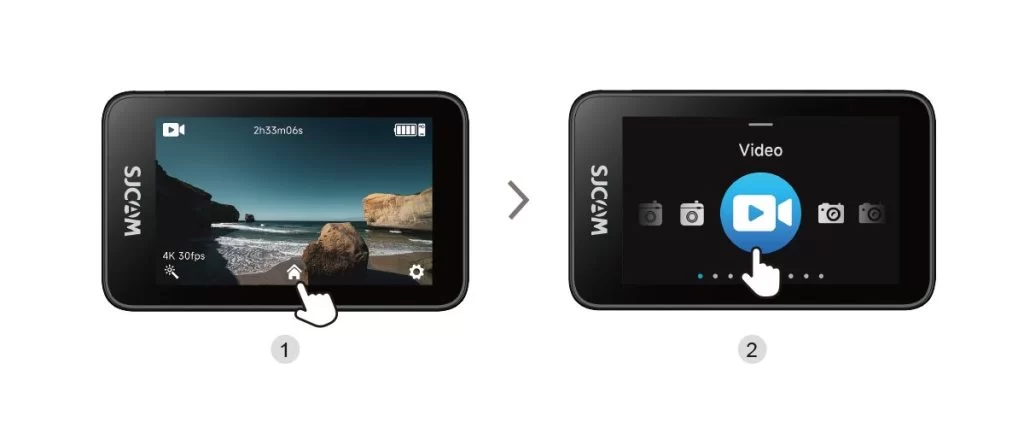
Tap the Mode Selection icon at the bottom center of the main screen to open the mode selector, then swipe left or right to change shooting modes.
Чи була ця інформація корисною?
Дякуємо за ваш відгук!


 англійська
 Китайська (Китай)
 Іспанська
 Німецький
 французька
 італійська
 Японський
 корейська
 Болгарська
 грецька
 індонезійська
 Китайська (Гонконг)
 російський
 датська
 фінська
 угорська
 турецька
 голландська
 португальська
 шведська
 румунська
 словацький
 норвезька
 Хорватська
 чеська
 Бенгальська
 польський
 тайська
 в'єтнамська
українська
Tap the Mode Selection icon at the bottom center of the main screen to open the mode selector, then swipe left or right to change shooting modes.