






 англійська
 Китайська (Китай)
 Іспанська
 Німецький
 французька
 італійська
 Японський
 корейська
 Болгарська
 грецька
 індонезійська
 Китайська (Гонконг)
 російський
 датська
 фінська
 угорська
 турецька
 голландська
 португальська
 шведська
 румунська
 словацький
 норвезька
 Хорватська
 чеська
 Бенгальська
 польський
 тайська
 в'єтнамська











































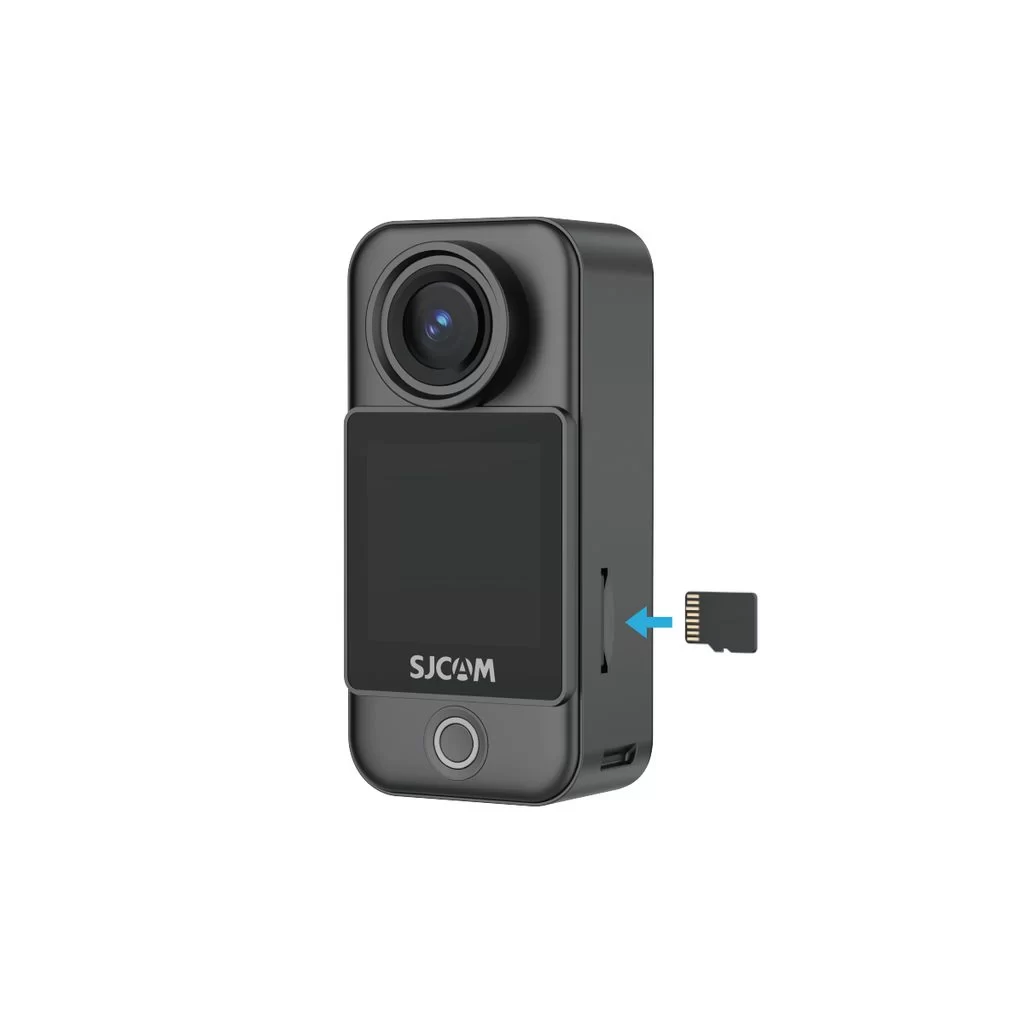
Встановлення карти пам'яті
Insert a microSD Card
The camera uses a microSD card to store photos and videos. With the metal contacts facing inward, push the card all the way into the slot on the C400 Pro Pocket camera.
Use a UHS-I, V30, or higher-rated microSD/TF card formatted as exFAT. A card with insufficient read/write speed may cause recording to stop unexpectedly. Do not use UHS-II, UHS-III, or cards larger than 512 GB, as compatibility issues may disrupt recording.
Note: If the SD card will not fit, first check its orientation. If correctly aligned, you may use a SIM-eject tool to help push it in.
Чи була ця інформація корисною?
Дякуємо за ваш відгук!
