






 Tiếng Anh
 Tiếng Trung (Trung Quốc)
 người Tây Ban Nha
 tiếng Đức
 người Pháp
 người Ý
 tiếng Nhật
 Hàn Quốc
 tiếng Bungari
 người Hy Lạp
 tiếng Indonesia
 Tiếng Trung (Hồng Kông)
 tiếng Nga
 người Đan Mạch
 tiếng Phần Lan
 người Hungary
 tiếng Thổ Nhĩ Kỳ
 tiếng Hà Lan
 tiếng Bồ Đào Nha
 tiếng Thụy Điển
 người Rumani
 Tiếng Slovak
 người Na Uy
 tiếng Croatia
 tiếng Séc
 tiếng Bengali
 Đánh bóng
 tiếng Thái
 tiếng Ukraina











































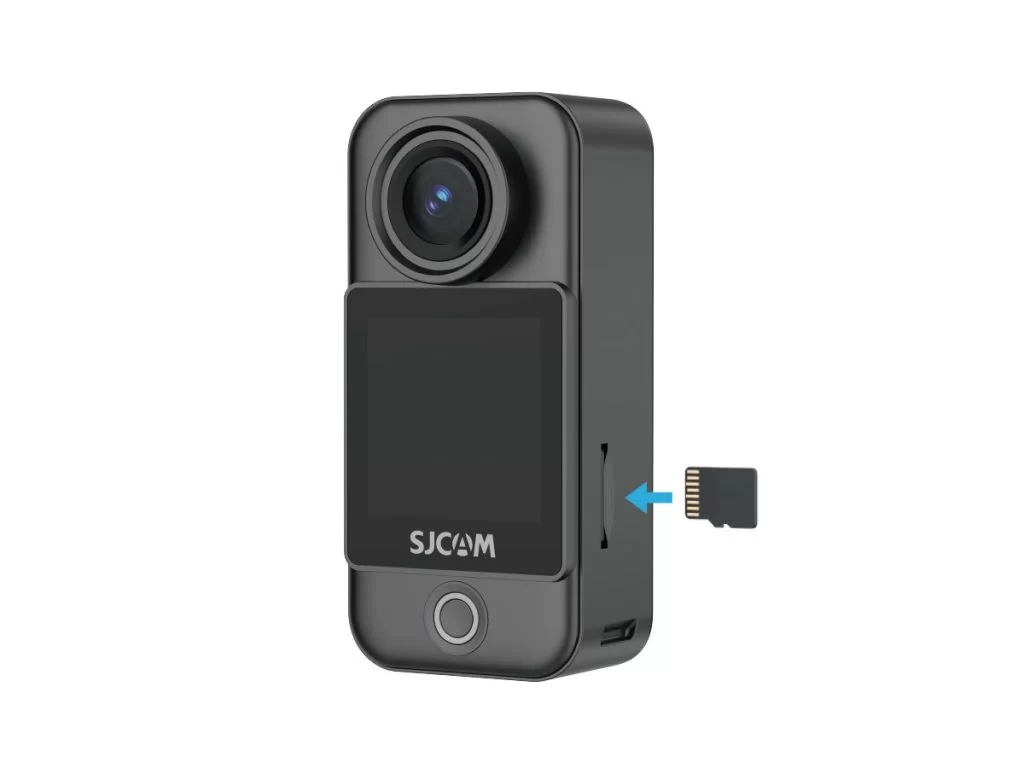
Lắp đặt thẻ nhớ
Insert a microSD Card
The camera uses a microSD card to store photos and videos. With the metal contacts facing inward, push the card all the way into the slot on the C400 Pro Pocket camera.
Use a UHS-I, V30, or higher-rated microSD/TF card formatted as exFAT. A card with insufficient read/write speed may cause recording to stop unexpectedly. Do not use UHS-II, UHS-III, or cards larger than 512 GB, as compatibility issues may disrupt recording.
Note: If the SD card will not fit, first check its orientation. If correctly aligned, you may use a SIM-eject tool to help push it in.
Thông tin này có hữu ích không?
Cảm ơn phản hồi của bạn!
