





 engelsk
 kinesisk (Kina)
 spansk
 tysk
 fransk
 italiensk
 japansk
 koreansk
 bulgarsk
 græsk
 indonesisk
 kinesisk (Hongkong)
 Russisk
 finsk
 ungarsk
 tyrkisk
 hollandsk
 portugisisk
 svensk
 rumænsk
 slovakisk
 Norsk
 kroatisk
 tjekkisk
 bengalsk
 Polere
 Thai
 ukrainsk
 vietnamesisk











































Skift af optagelsestilstande
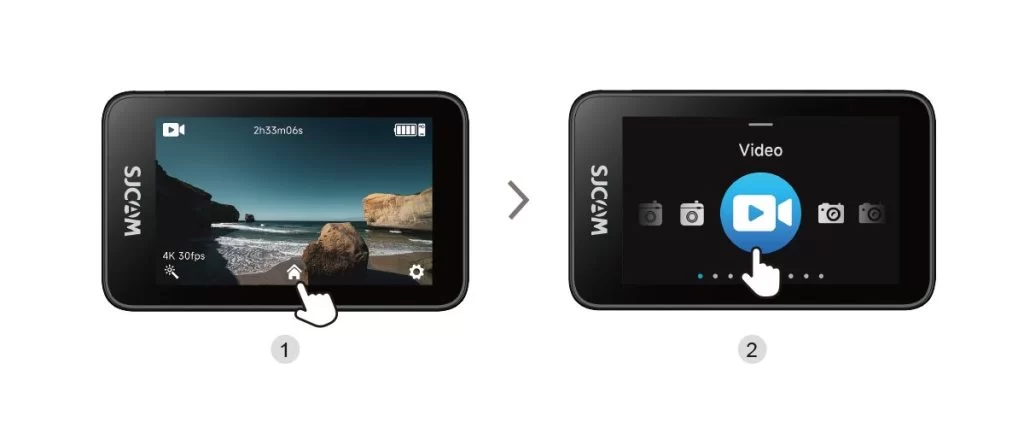
Tap the Mode Selection icon at the bottom center of the main screen to open the mode selector, then swipe left or right to change shooting modes.
Var disse oplysninger nyttige?
Tak for din feedback!


Tap the Mode Selection icon at the bottom center of the main screen to open the mode selector, then swipe left or right to change shooting modes.